IFC in, DXF and FBX out, with a walkable model in between
Review and visualisation often stall at the file format. Floorplan reads an IFC file, lets you adjust it in a browser editor, and writes it back out for the next tool in the chain.
Import an IFC model
Free to start, with 5 projects and share links included.

- Walls
- 7
- Doors
- 1
- Windows
- 1
- Rooms
- 2
- Scale from
- a scale bar
What you get
- Import IFC from Revit, ArchiCAD or any BIM tool. Walls, doors, windows, floors, rooms, columns and stairs come in.
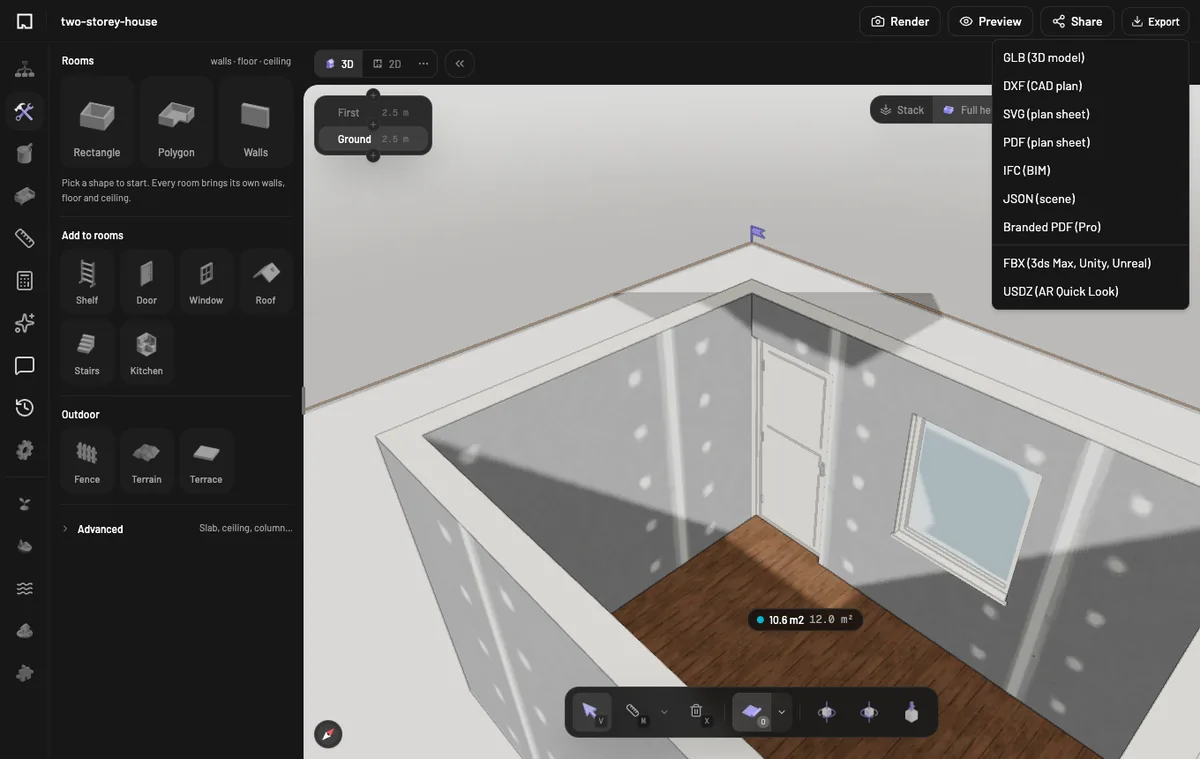
- Export IFC and DXF, and GLB, SVG or JSON on every plan.
- Export FBX for 3ds Max, Unity and Unreal. Geometry, materials, textures and metric scale survive.
- Share a link so reviewers can walk the model without installing anything.
In the app
How it works here
Sign in, upload the .ifc file on the import page and open the project. Edit it, then choose a format from the Export menu. DXF, IFC, PDF and FBX export are on Plus and Pro, which are not on sale yet. DXF import is not available yet.