Let a client walk the home in a headset
A video tour is passive. In VR the client chooses where to stand. Floorplan runs a walkthrough in the headset browser from the same link you already send.
Import a plan for a VR tour
Free to start, with 5 projects and share links included.

- Walls
- 7
- Doors
- 1
- Windows
- 1
- Rooms
- 2
- Scale from
- a scale bar
What you get
- Open a share link or an embed in the browser on a Meta Quest or an Apple Vision Pro.
- Walk with the thumbstick, turn in steps, or teleport to a spot on the floor.
- Walls stop the walker, so the tour stays inside the home.
- Without controllers, point with a hand and pinch to teleport.
In the app
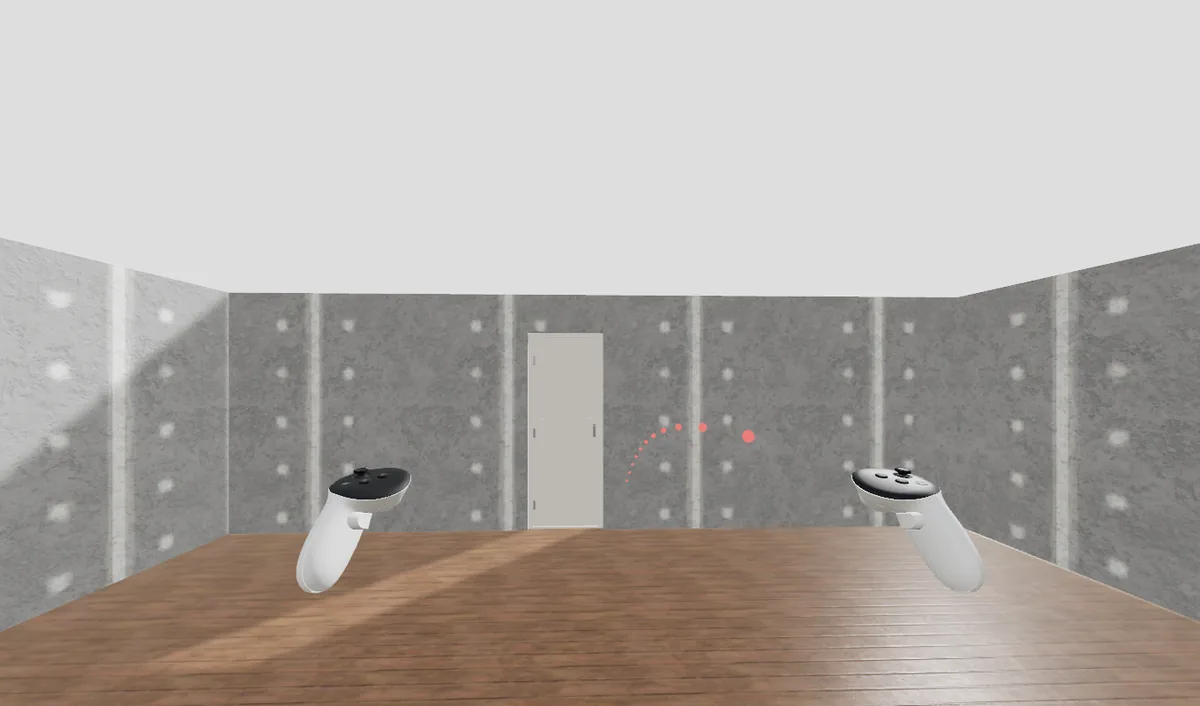
How it works here
Import the plan, check it, and share the project. Open the link in the headset browser and press Enter VR. This has been tested in an emulator and not yet on a real headset, so test it on yours before you rely on it with a client.